Blender Dimension in Portal Sandbox
Press F before portal entry — the most misunderstood control in the beta.
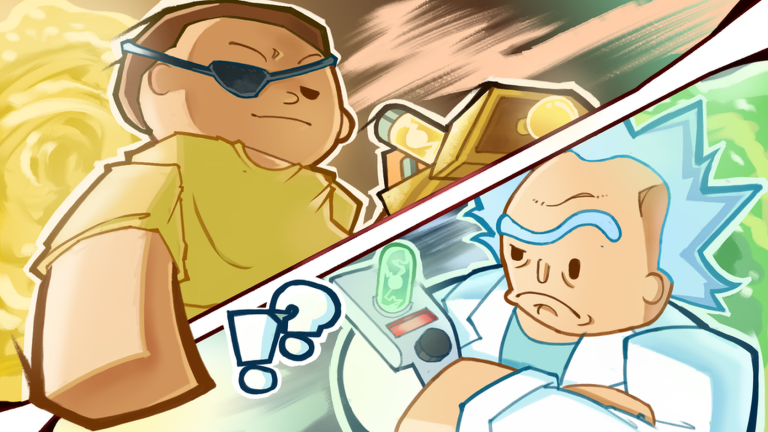
Blender Dimension confuses more new Portal Sandbox players than any other bind. The official listing says F — Blender Dimension (Press before entering a portal). That parenthetical is the entire secret. This guide explains the correct order, how it differs from the Dimensions menu, and what to do when the trip fails.
Correct Blender sequence
- Decide that you want Blender Dimension for this trip.
- Press R if you still need to choose a related destination context.
- Press F to activate Blender Dimension intent.
- Press T, place your portal, and walk in.
- Confirm you arrived on the intended Blender path.
If you press F after you already landed, you missed the window. Reset, return to a safe area, and repeat the before-entry order.
Blender vs Dimensions vs Portal Gun
| Control | Role |
|---|---|
| R | Opens the Dimensions menu and info panels |
| T | Equips the Portal Gun for creating portals |
| F | Flags Blender Dimension before portal entry |
| E | Regenerates after a bad trip or fight |
F is not a replacement for R. You still read destinations with R and travel with T. F modifies the entry condition. Full bind notes sit in the controls guide.
Why players think Blender is broken
- Pressing F after entry
- Confusing Blender with the Blender 3D app name meme and ignoring the in-game timing
- Chat focus blocking key input
- Expecting F alone to teleport without a portal
- Testing exclusively in a private server and mixing that with unrelated save confusion
Private servers do not save progress, but that is separate from Blender timing. Timing failures happen on public servers too when the order is wrong.
Practice drill
- Stand in a calm spawn-adjacent spot.
- Press F once intentionally.
- Immediately create and enter a portal with T.
- If results look wrong, press E to recover, return, and retry.
- Repeat until the before-entry habit sticks.
Five clean reps beat twenty panicked mid-fight attempts.
When to use Blender during progression
Use Blender when your session goal specifically needs that path — not on every casual material run. For standard blood cells, sludge, and seeds, normal dimension travel is enough. Keep Blender as a deliberate tool beside crafting goals from the crafting guide.
If combat erupts during a specialised trip, swap to Mech Blaster or Robo Arms, regenerate with E, and decide whether to abort the run. Insurance can protect carried items across a few deaths — see gamepasses.
Related onboarding
Brand-new players should finish Getting Started before specialised Blender practice. Redeem codes after the tutorial so IQ gains still roll while you drill travel skills. Check updates if a patch changes dimension behaviour.
Quick troubleshooting
| Symptom | Likely cause | Fix |
|---|---|---|
| Nothing special happens | F pressed too late | Press F before entry |
| Key ignored | Chat focused | Click world UI, retry |
| Wrong destination | Skipped R panel | Read Dimensions first |
| Repeated deaths | Contested area | Regenerate, reposition, or leave |
Blender Dimension is a timing skill, not a hidden menu. Once before-entry becomes muscle memory, the control stops feeling buggy and starts feeling like part of the Portal Sandbox fantasy.
Mental model that sticks
Treat F like a seatbelt click before the car moves. The portal is the car. Clicking the seatbelt after you already crashed does nothing useful.
Say the phrase out loud the first dozen times: F then enter. Pair it with the controls cheat sheet until it is boring.
Group play note
In groups, call Blender intent in chat before someone portals ahead. Mixed timing splits the party across states and wastes regenerate cycles.
When to stop drilling
Once you succeed three times in a row under light PvP pressure, stop isolated drills and return to real crafting goals. Blender is a means, not the whole game.
Frequently Asked Questions
Quick answers to the most common Portal Sandbox questions.
How do I activate Blender Dimension?
Press F before you walk into a portal. Pressing F after you arrive is too late.
Is Blender Dimension the same as the Dimensions menu?
No. R opens Dimensions. F sets Blender intent before portal entry.
Why do people say Blender is bugged?
Most reports are timing mistakes. Confirm the before-entry order and that chat is not focused.